05 Best Cloud-Based Accounting Software of 2025
As global business evolves at a rapid pace, companies must adopt efficient tools to remain competitive. Among the most essential is cloud-based accounting software. It helps business owners handle money, track income, and manage bills online without any stress.
In 2025, many businesses, especially small ones, trust cloud systems. These tools offer speed, safety, and ease. They reduce errors and improve decision-making. In this blog, we will look at the top five options and how you can pick the best one for your needs.
Must-Have Features in the Best Cloud Accounting Software
Good software saves time and protects your data. To choose the best cloud accounting software, focus on a few key features that truly matter:
Easy to Use
The best tools are built with the user in mind. They offer a clean design and step-by-step options. Even those with no accounting background can manage records with ease.
Real-Time Access
Accessing your data anytime from anywhere helps in quick decision-making. Real-time updates also help avoid delays and keep your books up to date without much effort.
Bank Feeds
Bank feeds pull your bank data into the software and match it with your entries. This removes the need for manual work and reduces the chance of human error.
Reports and Charts
Good cloud tools create charts and reports from your entries. These reports help you understand your cash flow, profits, and losses in a simple visual format.
Secure Backup
All your data stays safe in the cloud. Most tools use encrypted servers to ensure that your financial records remain protected from loss or theft.
GST and Tax Help
Most tools now support GST filing and tax return prep. This helps small business owners stay compliant and avoid penalties during audits or filing season.
Mobile Access
Modern cloud tools offer mobile apps. These apps let you view sales, approve bills, or send invoices, even when you’re not in the office.
Integration
The best cloud accounting software integrates seamlessly with other tools. It connects with payroll, CRM, and sales platforms to save time and reduce manual work.
Benefits of Cloud-Based Accounting Software for Small Businesses
Cloud-based accounting software offers many benefits for small businesses. It helps business owners manage cash flow more effectively and reduce errors.
No Need for Installs
Everything runs in the cloud. You only need a device and internet access. No need for large downloads or updates that slow down your system.
Low Cost
These tools usually follow a pay-as-you-go plan. This means you don’t spend a large amount at once. It’s easy on your budget and fits small business needs.
Better Control
With access to real-time data, you stay updated on all financials. This makes cash flow management easier and helps in smarter decision-making.
Easy Sharing
Business owners can give secure access to their bookkeepers. This allows for faster reviews, less confusion, and better coordination in day-to-day tasks.
Fewer Mistakes
Automation features like bank feeds, matching, and alerts help reduce errors. This cuts down rework and improves the quality of financial records.
Quick Setup
Most cloud tools can be set up in less than an hour. Templates and help options make it simple even for those with no prior software experience.
Fast Support
Cloud companies provide live chat, email, or call help. This means if you get stuck, you can solve the issue without waiting too long.
Grows with You
As your firm expands, you can add users, tools, and reports. You don’t need to switch systems every time your business scales up.
Top 5 Cloud-Based Accounting Software:
To help you find the best cloud accounting software for your business, here are the top 5 cloud-based solutions trusted by small businesses worldwide.
1. Fresh books
FreshBooks is a leading accounting Software solution that is viable for business owners of all stripes. FreshBooks offers excellent features such as secure file storage, invoicing, and expense tracking. Free, secure multi-user accounts allow third parties such as accountants to access client information. Thanks to this software’s sleek drag-and-drop user interface, setup, and management is a breeze.
2. QuickBooks
QuickBooks is a cloud-based accounting software platform designed for small businesses. This comprehensive online solution provides users with a dashboard where they can access tax forms, reporting, and inventory management. QuickBooks also offers payment-processing capabilities and seamless integration with other cloud-based services such as CRMs.
3. Wave
Wave is a free money management software for small businesses available in the market today. It has many other products, for payroll, invoicing, payments, etc., which can be integrated easily into one system. It makes tracking finances, invoices, and payments easy, with just a few clicks. It’s free to use and comes with support for unlimited business accounts and classes. Its clean interface has all the features you need for basic invoicing and accounting tasks.
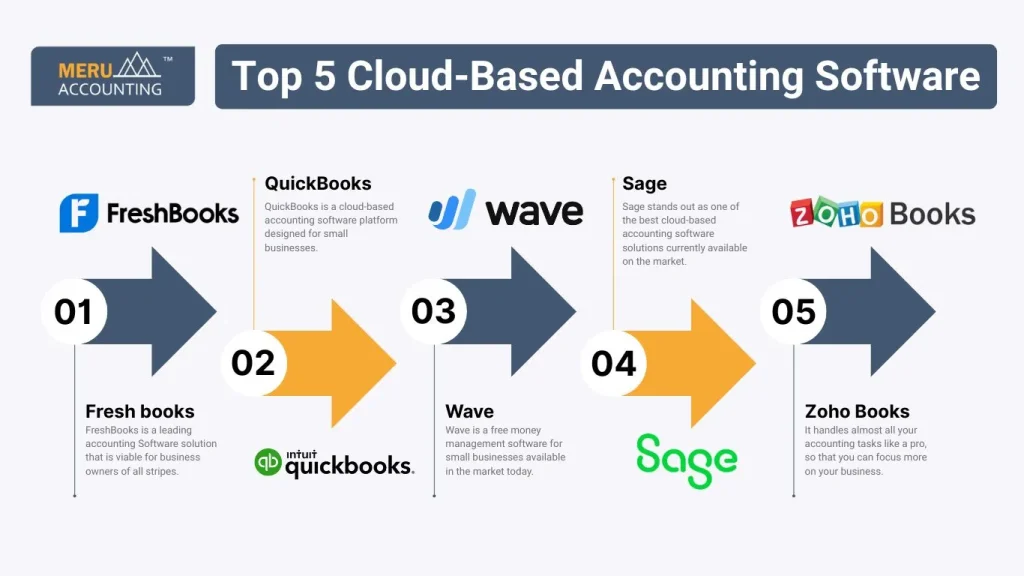
4. Sage
Sage stands out as one of the best cloud-based accounting software solutions currently available on the market. It makes small business accounting easier by enabling secure collaboration and diverse payment capabilities. With robust features such as easy invoicing, real-time tracking of expenses, integrated payroll support, and automatic bank updates, Sage provides a reliable solution that helps small businesses stay ahead and in control of their finances.
5. Zoho Books
It handles almost all your accounting tasks like a pro, so that you can focus more on your business. Apart from the features offered by Zoho Books, Zoho comes with 40+ other integrative platforms that can handle your business quite effectively, and a mobile app for Android and iOS users. The free version is commendable. They help in mileage tracking, reporting, and many other features with their free plan.
How to Select the Best Cloud-Based Accounting Software for Small Business
To manage finances efficiently, small business owners must find the best cloud-based accounting software that meets their specific needs.
Know Your Needs
Before you start comparing tools, list the key things your business needs. These may include the number of users, tax filing, invoice design, or report types.
Compare Tools
Make a chart that compares features, cost, ease of use, and support. Use this to see which software best matches your current and future needs.
Try the Free Trial
Free trials are useful to test the real-time use of each tool. You’ll learn how it feels to create invoices, record payments, or view reports before paying.
Look for Mobile Access
Check if the tool has a mobile version. A good mobile app helps you approve bills, send quotes, or view key numbers even while traveling.
Choose Local Support
Pick a provider that offers support during your working hours. You’ll get quicker help and avoid delays, especially when you’re filing reports or facing issues.
Check User Limit
Some tools charge more as you add users. Know how many people will need access and choose a plan that fits your size and cost limit.
Review Add-Ons
Check if the software can work with your other tools. Popular add-ons include CRM, e-commerce, inventory, and payroll systems that save time.
Think Long-Term
Pick a tool that fits your needs today and grows with you. Avoid switching tools often, as migration can be costly and risky.
Common Mistakes to Avoid While Using Cloud-Based Accounting Software
Cloud-based accounting software is a smart way to track money and reports. It saves time, helps staff work as one, and protects data. Still, the wrong use can lead to errors, high costs, or weak safety. By avoiding key mistakes, you get the best value from the tool.
1. Not Setting Proper User Roles and Permissions
When every user has full access, it increases the chance of mistakes or fraud. Always give access based on role. Staff should only see or change data that matches their job needs.
2. Ignoring Regular Backup Settings
Even with cloud storage, data may be lost due to sync issues or bugs. Set auto backups on a fixed schedule to keep records safe and easy to restore.
3. Forgetting to Match Bank Accounts with Software Data
If you don’t match bank data with the software, reports will not be correct. Reconcile bank accounts often to find errors on time and keep books clean.
4. Using Too Many Add-ons Without Real Need
Extra add-ons may look helpful, but too many can slow down the system and raise costs. Pick only the ones that solve real business needs.
5. Not Training Staff on Software Updates
Updates bring fixes and new tools. Without training, staff may stick to old ways or fail to use new features. Give short training when updates are rolled out.
6. Overlooking Security Settings Like Two-Step Login
Weak security is a big risk. Always turn on two-step login and check other security settings. This lowers the chance of hacks and data leaks.
At Meru Accounting, we know how much your business means to you. We guide you from setup to reports, so you can focus on growth. Our experts help you use tools like Xero, QuickBooks, Zoho Books, and more. We also offer full bookkeeping support. This helps you stay up to date with your books.Our goal is to make sure your books are clean, clear, and on time every month.
FAQs
- What is cloud-based accounting software?
Cloud-based accounting software is a tool you use online to manage your business accounts. It stores your data safely in the cloud. You can open it from any device, anytime. - Which is the best cloud accounting software for small businesses?
Some of the best cloud accounting software options are Xero, QuickBooks, Zoho Books, FreshBooks, and Wave. Pick the one that fits your size, budget, and needs. - Can I run cloud accounting on my phone?
Yes. Most cloud accounting tools have mobile apps. You can send invoices, track spending, and check reports on your phone. - How much does cloud accounting software cost?
Prices change based on features. Wave is free. Tools like QuickBooks and Xero start at a low monthly cost and grow with your business. - Do I still need a bookkeeper with cloud software?
Yes. A bookkeeper helps check your work, make reports, and file taxes. Software helps, but a bookkeeper makes sure everything is done right.